

First dashboard planner
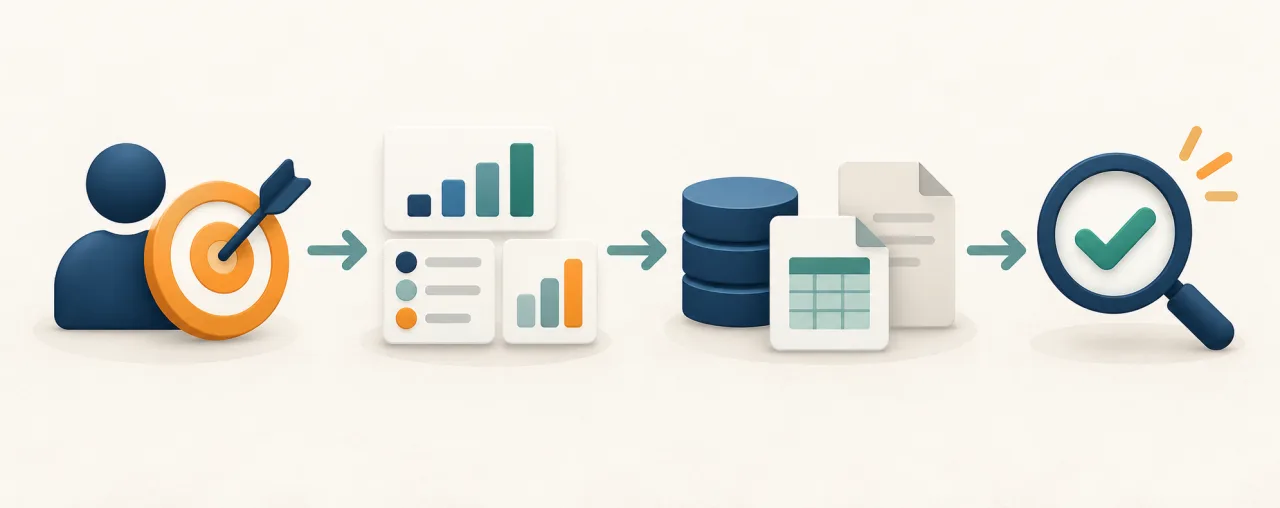
The planner runs in your browser and does not require an account. It does not analyse your data or choose metrics for you. It helps collect the assumptions that need to be agreed before a dashboard or automated report is designed.
A dashboard starts with a decision, not a chart
A dashboard is useful when it helps a specific person notice a situation and decide what to do. A collection of charts does not solve the problem if nobody has agreed who will use it, what they need to see or what the displayed numbers mean.
For example, an order count might include every order recorded in the system, only paid orders or only completed orders. Each definition produces a different result. The planner therefore asks for the meaning, calculation rule, source and a simple validation method, not just the name of a metric.
When the planner is useful
Use it when a report is assembled manually from several spreadsheets or systems, different people calculate the same result differently, the company has data but no single decision-making view, the first version is unclear, or you want to prepare questions about data, access and responsibility before speaking to a developer.
When a simpler option may be enough
A separate dashboard is not always necessary. If one well-structured spreadsheet answers a stable question, the data definitions are agreed and only a small group uses the result, improving that spreadsheet or the reporting process may be the better first step.
The planner will still help document the rules. Its result is not an automatic recommendation to build a new system.
Different roles may need different views
In the 44Islands system, an administrator works with a view of the whole operation, while a partner needs their own bookings and commission settlements. Both roles use related data but need different information and access scopes.
This is why the planner begins with the audience and the decision. Read the 44Islands booking system case study.
What you receive
The result is a first-dashboard brief containing:
- the audience, business question and decision;
- one to six required metrics;
- the meaning, calculation rule and source for each metric;
- expected refresh frequency and acceptable delay;
- a manual validation method;
- access rules and responsibility for definitions;
- the smallest useful first stage;
- a list of points still to be decided.
You can copy the brief, download it as Markdown, or print it to PDF. You can also transfer an editable version to the BI service contact form. Nothing is sent until you review and submit that form.
Prepare your first-dashboard brief
Complete only the fields you can answer. Missing details will be shown as “To be decided”.
First-dashboard brief
This is a structured conversation aid, not a finished technical design. Fields without an answer are marked “To be decided”.
Purpose and audience
Required metrics
| What do you call this number? | What does this number mean in the business? | How is it calculated or defined? | Which period does it cover and what should it be compared with? | Where is the source data held? | Refresh and acceptable delay | How can the result be checked manually on a small sample? |
|---|
Access and responsibility
First stage
To be decided
What should you do with the brief?
First, review it with someone who understands the process and the data. Unclear metric definitions, several sources for the same information and the absence of anyone responsible for confirming the result often cause the most problems.
If the brief is sufficient to start a conversation, transfer it to the BI service form. You can still edit every sentence before sending it.
What does the planner not check?
The planner does not inspect your systems or confirm that the required data is complete, consistent or available through an API. It also cannot decide whether a separate dashboard, a report inside the current system or a better-organised spreadsheet is the right solution.
That choice can be made only after the data, current tools, permissions and the way people work have been reviewed.