

Document workflow and DMS solutions for businesses
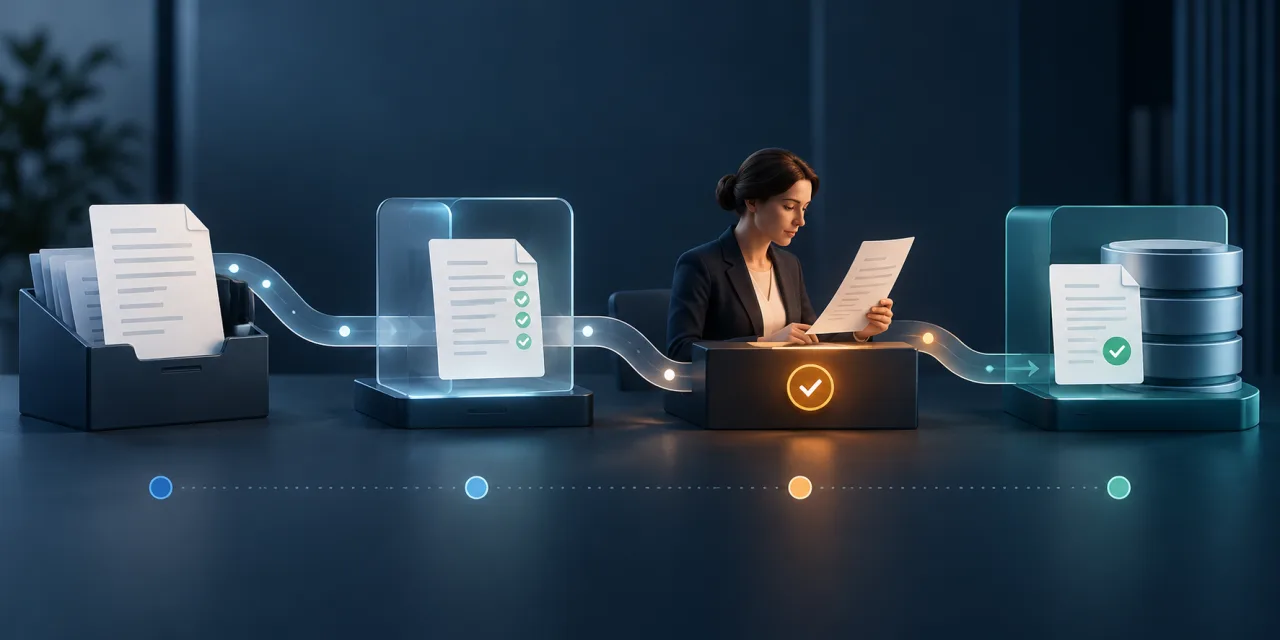
A DMS, or Document Management System, organises documents, access, versions and the steps involved in handling them. Not every company needs a full DMS. A structured repository, a connection between existing applications or a smaller module for one workflow may be enough.
When do email, folders and spreadsheets stop being enough?
The problem is rarely storage space alone. It starts when a document triggers further work but there is no single, clear process.
It is worth reviewing the document workflow when:
- the same file is sent in several messages and nobody is sure which version is current;
- employees have to ask who holds the document and what should happen next;
- approvals are recorded in email, chat or outside the main system;
- data from an invoice, contract, request or form is copied manually into another application;
- a missing attachment or incorrect data is discovered only near the end of the process;
- people can access more documents than they need for their role;
- it is difficult to establish who made a decision, when it happened and which version they reviewed;
- a status in one application does not match the information shared by employees.
These signs do not automatically justify building a new system. We first determine whether the real issue is file storage, ownership, decisions, data exchange or a combination of these areas.
One document from intake to completion
A useful workflow describes the complete path of a document. For one document type, we review:
- Source. A document may arrive by email, form, customer portal, scanner or API, or it may be created by an employee.
- Registration and description. We define an identifier, document type, important data and a way to detect missing information.
- Completeness check. The system can verify required fields and attachments, while decisions that require judgement remain with the right person.
- Ownership. The document is assigned to the role or person responsible for the next step.
- Decision. A user may approve, reject, request a correction or pass the case on, according to the agreed workflow.
- Transfer of the result. Data or a decision may be sent to a CRM, ERP, accounting application, B2B portal or another agreed system.
- Status and history. An authorised user can see the current stage, the completed action and the information needed to continue.
The system can enforce sequence, required data, deadlines and information transfer. It should not make a business decision on its own unless the company has defined a clear rule and responsibility for it.
Repository, ready-made DMS, integration or custom module?
The solution should match the actual problem. The most expensive or extensive option is not always the right one.
| Direction | When it may be enough | What needs to be checked |
|---|---|---|
| Structured repository | The main problem is finding files, naming them, controlling access and identifying the current version | Whether the process also requires decisions, exceptions, reminders or data transfer |
| Ready-made DMS | The workflow is fairly standard and the company can adopt the way of working supported by the product | Licensing, roles, data export, integrations, maintenance and support for important exceptions |
| Integration of existing systems | Current applications work well, but documents or data are moved manually | API, import and export options, identifiers and a test environment |
| Process-specific module | One important workflow does not fit the current system, but replacing everything is unnecessary | Module boundaries, data sources, roles, failures and long-term maintenance |
| Custom system | Company-specific roles, rules, exceptions and integrations are central to operations | The first stage, delivery risks, development cost and responsibility for ongoing maintenance |
We can help compare these directions, but we do not choose technology from the word “DMS” alone. We first describe one workflow and identify what it actually requires.
What do we establish before work begins?
Document types and sources
We identify which documents take part in the process, where they come from, which formats they use and whether they share a reliable identifier. Invoices, contracts, requests, reports and forms may each need a different path.
Roles and permissions
We define who can see or change a document, who makes a decision and who can access only the outcome. Permissions should follow the role and process stage, not merely hide a button on the screen.
Statuses, decisions and exceptions
We describe both the normal route and the situations in which information is missing, a document returns for correction, an additional approval is required or the case cannot continue. Clear exception handling matters as much as the main scenario.
Versions and history
We establish what creates a new version, which version is current and which actions should remain in the history. The scope of that history and the rules for changing or deleting data depend on the company's needs and agreed requirements.
Source and destination systems
We identify which application owns the document, its data, the current status and the final decision. If several systems can change the same information, we define one source of truth and the rules for synchronisation.
Retention, export and backups
Retention periods, export, deletion, backups and recovery need to be agreed for the particular project. A system does not become legally compliant simply because it records a history or restricts access.
Start with one workflow
The first stage does not have to cover every document in the company. It is often better to select one document type and take it from its source to a completed outcome.
A first stage might include:
- one document source;
- essential data and a completeness check;
- two or three roles;
- approval, rejection and return for correction;
- one destination system or a manual confirmation of the result;
- a clear status and basic action history;
- agreed test cases and acceptance criteria.
A smaller scope works only when it creates a useful, complete process. It should not end at a point that still forces staff to copy the same data or leaves the document without an owner.
How do we verify the first stage?
Acceptance criteria follow the workflow, not just the appearance of the screens. For example, we can verify that:
- the document receives a unique identifier and enters the correct workflow;
- missing required data stops the transfer and produces a clear message;
- every role sees only the documents and actions it is allowed to access;
- approval, rejection and a correction request lead to the correct next step;
- resubmission or an interrupted connection does not create an uncontrolled duplicate;
- data sent to another application can be linked back to the source document;
- an integration failure leaves a status and enough information to respond;
- the history explains what happened in the tested scenario.
We agree these checks before acceptance. The result is then more meaningful than confirming that a file was saved or a form submitted data.
Integration with the systems you already use
An electronic document workflow can work with a CRM, ERP, accounting software, B2B portal, warehouse system or another application. We confirm an integration only after checking the documentation, permissions, data formats and supplier conditions.
If your current applications perform their main tasks well, they do not have to be replaced. Connecting them in a controlled workflow may be the right answer. In other cases, the problem is unclear ownership and decision-making rather than a missing connection. An integration alone will not fix that.
See system integrations and APIs and custom CRM and ERP systems.
Experience: HUB.ITM.PL
Around 2018, we built a system for a large accounting office that received data from several applications and file formats. It handled invoice-related data from Comarch ERP Optima, Sage Symfonia ERP, JPK-FA and UBER sources, as well as XML, XLS and CSV files.
The system read, mapped and checked the data, then prepared EDI++ files for import into Subiekt GT and Subiekt nexo. It reduced manual re-entry from thousands of invoices and allowed the office to take on more clients without a proportional increase in manual work.
This is a historical project that is no longer in use because formats and methods of data exchange changed. HUB.ITM.PL was not a complete DMS. It was an import and document-data transformation layer, so we do not present it as evidence of version control, approvals, retention or document storage.
Read the full HUB.ITM.PL case study.
Security, history and legal requirements
Documents may contain personal data, commercial terms, financial information and other confidential material. A project should therefore define:
- roles and least-privilege access;
- user authentication;
- the required action and change history;
- export, backup and recovery rules;
- how documents are transferred between systems;
- retention periods and responsibility for defining them;
- how access is removed when a role changes or cooperation ends.
A technical solution does not automatically guarantee compliance with GDPR, KSeF, accounting rules or sector-specific requirements. These requirements need to be identified, verified and assigned to responsible parties before the scope is confirmed.
Do not send real invoices, contracts, customer data, passwords, API keys or database copies through the contact form. At the start, a safe sample with personal and confidential information removed, or a description of its structure, is enough.
How do we start working together?
- We briefly qualify the need. We establish which document causes the problem, where it comes from and what should happen next. A short conversation does not replace analysis of a complex process.
- We describe one workflow. We collect the roles, decisions, data, exceptions, current applications and expected result.
- We choose the direction. We check whether a repository, ready-made DMS, integration, smaller module or process-specific system is appropriate.
- We define the first stage. We agree the scope, acceptance criteria, risks, schedule and individual price.
- We build and test the complete flow. We cover the normal case, missing data, corrections, rejection, retries and connection failures.
- We plan further workflows. Additional document types, roles and integrations are handled as separately agreed stages.
If the process includes many departments, document types, exceptions or uncertain integrations, the first paid stage may be business analysis and application MVP scoping.
Frequently asked questions
Do we need a full DMS?
Not always. If the problem is mainly naming, access and finding files, a structured repository may be enough. If documents pass through decisions, exceptions and several systems, it is worth assessing a DMS, an integration or a custom module.
Which document should we start with?
Choose a document with a clear beginning and end, frequent manual steps and recurring problems. The first workflow should have an owner, known roles and a measurable acceptance criterion.
Can the workflow connect to our current CRM, ERP or accounting software?
Such a connection is often possible, but the particular application, documentation, permissions, data formats and licensing conditions must be checked first. We do not confirm an integration before that review.
Can the system support approvals, corrections and rejections?
It can when the company has clearly defined the roles, possible decisions and next step for each outcome. We agree the exact scope for the selected workflow.
Can we keep a decision history and role-based access?
These requirements can be included. We need to define which actions remain in the history, who may see them and whether or when the data may be changed or deleted.
Does the implementation include OCR, electronic signatures or KSeF?
They are not default parts of every project. We can assess whether they are needed, but the scope depends on the supplier, document quality, documentation, permissions, cost and legal requirements.
Do we have to replace our current systems?
No. If they perform their main tasks well, an integration or a smaller module may be sufficient. Replacement becomes relevant only when their limitations block the agreed workflow.
How should we prepare a sample document?
Remove personal data, bank account numbers, confidential amounts, signatures, customer details and other business secrets. You may instead send a description of the fields, the source and the decisions that need to be made.
What determines the cost and schedule?
They depend on the number of document types, roles, decisions, exceptions, integrations, data migration, security requirements, history and maintenance. We agree the scope, schedule and price individually after collecting the necessary information.
What should you send first?
In your first message, describe:
- one document type you would like to start with;
- where it comes from and in which form;
- who checks, approves, corrects or rejects it;
- where its current status is recorded;
- which data is copied manually today;
- which applications must remain in the process;
- the most common exception or error;
- how you will know that the first stage works correctly.
You do not need a technical specification or real documents at this point. From this description, we can establish whether the project can move to an estimate or first needs process analysis.
CTA: Discuss your first document workflow
If you would first like to organise the basic information yourself, use the free project brief builder.
See also system integrations and APIs, custom CRM and ERP systems, B2B portals and order management, and business analysis and application MVP scope.
Describe your project
We design electronic document workflows for businesses that need to know where a document is, who should take the next step and which decision has been made. We help select a ready-made DMS, an integration or a solution tailored to the process.